Showing posts with label HOW TO. Show all posts

Oct 29, 2008

How to backup drivers and restore them later

How many times have you found the drivers missing after doing a clean install of windows and then hunting online forums for correct drivers because you don’t have drivers CD for hardware that came preinstalled while buying pc. What’s worse is when they are unavailable online.

image

Luckily Double driver comes to your rescue. Now if you purchase a computer, you can backup the initial set of drivers with double driver. Double Driver scans for all the drivers installed on system and categorizes them Microsoft/Non- Microsoft(see the image above). You can selectively backup the Microsoft or Non-Microsoft drivers which can be easily restored at a later point in one go. Double Driver is freeware (windows only).

Double driver

Jul 22, 2008

Store any IM chat logs online with Dexrex

image The Dexrex Extensions package is a set of ad-free, spyware-free IM plugins that run on your computer to connect your instant messaging client to the online Dexrex account. Dexrex detects any popular IM client running on your desktop and gives a choice to link with the running IM client which then monitors your chat conversations and stores them in your online account at dexrex. All major IM clients including AOL Instant Messager (AIM), Google Talk / Jabber, Windows Live Meesnger (WLM), Skype and Yahoo! Messenger are supported, full list here.

Alternatively, you can login the web client with Dexrex screen name and password which automatically save chat logs. You can also import older saved chat logs(from some IM clients) to dexrex. This gives the convenience of browsing and searching across the whole chat archive from any computer.

If you are paranoid of sharing chat logs with third party but trust Google, you may archive all chat logs of Yahoo messenger or MSN or any IM client inside Gmail.

Dexrex

Jul 20, 2008

How to remove programs from Open With menu

Here is how to trim down your Open With menu if it contains undesired applications for a particular file extension or if your Open With window displays too much applications, and you want to remove the applications that you don't use frequently.

1. Manually editing registry: Open the run command from start menu, then type regedit to fire up the registry editor. Navigate to the following entry:

 HKEY_CURRENT_USER \ Software \ Microsoft \ Windows \ CurrentVersion \ Explorer \ FileExts \ .FileExtension \ OpenWithList

.FileExtension is the extension of file with which you want to disassociate the program in Open With menu. Now, look for the programs under the data field and simply delete the undesired entry.

image 2. Using software called as OpenWithView : Download the zip file, open it and run the standalone exe.  Select the program from list and disable it to remove from Open With menu. When program is disabled, it won't be displayed in the 'Other Programs' section of the 'Open With' dialog-box also.

Jun 23, 2008

How to temporarily disable writing to USB

Prevent USB from virus infection or someone from stealing data using his USB, by temporarily disabling writing to any USB device. There are two methods for doing this:

1. Manually editing registry: Open regedit from start->run and browse to following entry:

HKEY_LOCAL_MACHINE\System\CurrentControlSet\Control\StorageDevicePolicies\WriteProtect [Note: Be careful while editing registry]

Change the dword value between 00000001[disable write] to 00000000[enable write]. Reboot the system for changes to take effect.

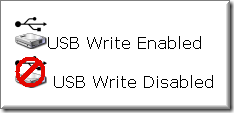
image2. Using software called as UltraBlock USB Write Blocker: Simply click on the icon in system tray and choose the menu item to toggle write access. All Thumbscrew really does is flip a bit in the registry at:

HKEY_LOCAL_MACHINE\System\CurrentControlSet\Control\StorageDevicePolicies\WriteProtect

[via My Tech Quest]


Related:

Shield yourself from USB viruses without any AV

May 31, 2008

How to find the date a web page was created ?

Do you often need to know when was a particular web page or web site created?  This might be useful for knowing when a notification appeared on some web site or verifying content theft cases. Firefox add-on Link Diagnosis(compatible with FF3) can reveal age of only those pages which are indexed by Google. Basically, it gives the date when the web page was first indexed by Google: it doesn’t matter if it is later modified. It doesn’t give the modification date but the creation date of web page. Given the speed with which Google indexes even the lower rank web pages these days, the add-on looks promising in providing the accurate age of the web page.

It uses the advanced Google search. Consider this link :

inurl:http technolaziness blogspot com

For this query, Google also returns the cached date along with the links. See the screenshot below:

image

Link Diagnosis brings the same functionality through a simple user interface.


image


image 

Just install the extension and you will be able to find out the age of the page with only two clicks. Just right click on web page and select Get Page Age.

[Link Diagnosis Download link]

Related : Monitor a web page for change

May 11, 2008

How to place images between words in Gmail

After coming across a very interesting service on Technospot, I eagerly tried it and went on to sharing its results with friends through email. But there was a hitch midway: Gmail does not support inline images.

Google Help center says:

Google Mail doesn't currently offer the ability to attach images inline, because we don't support HTML formatting.

That made me wonder how have I been receiving those inline images in Gmail for so long. That means there must me a way out. I finally turned to Google for help: results were not satisfactory. Some results suggested downloading flock browser, then setting up Flickr account.. so on....a process too long for me. I was looking for something plain and simple which I found after digging through more pages on Google.


Here are the step by step instructions for embedding images inside Gmail:

  • Upload the image on web server using free image hosting services like MediaFire.
  • Open the image located at a web server directly in your browser.
  • Click the image with right mouse button and select View image from the menu.
  • Hit Ctrl-A; then Ctrl-C.
  • Open Gmail Compose Mail window.
  • Make sure Rich formatting is turned on in Gmail (It is ok if you see « Plain Text above editing area(see above image)).
  • Position the cursor in the editing area where you want image to appear.
  • Finally hit Ctrl-V.
That's really simple! Continue composing message.

Apr 27, 2008

How to download Yahoo Messenger Offline Installer directly?


There is no way of installing Yahoo Messenger offline. It requires you to be online till setup is complete and if you loose connection midway, there is no way to resume installation. This is mine one of the most compelling reasons for not using Yahoo Messenger. This means every time I format my computer, I have to download it....there is no way I can have a copy of its setup. I have to go to Internet, download that 'partial installer' which finally installs it.

But with a little hack, you can download setup file directly and install it offline. Simply prefix the file name of online installer file with 'y'.


The URL for downloading yahoo messenger online installer is:

http://us.dl1.yimg.com/download.yahoo.com/dl/msgr8/us/msgr8us.exe.


To download full complete standalone installer setup file directly, use this URL:

http://us.dl1.yimg.com/download.yahoo.com/dl/msgr8/us/ymsgr8us.exe.


Here is the direct download link. See how the name 'msgr8us' near the end of link is changed to 'ymsgr8us'. The trick works with all versions of yahoo messenger. Happy IMing!


[via blog.ashfame] 

Download other offline installers:


Related:

How to save Yahoo Chat log online?

How to Login Mutilple Google Accounts at once?


Blogged with the Flock Browser

Apr 15, 2008

How to save Yahoo and MSN chat log online

Almost every one of us has an account with both Yahoo and Google. And, you probably use both Yahoo Messenger and Google Talk to stay in touch with buddies. Unlike Yahoo ,Google offers the web-based version of Google Talk . But you can also get web IM for Yahoo using services like Meebo, or ebuddy . These services though don't provide any online space to store your yahoo chat log specifically( Yahoo chat log while using Yahoo Messenger is stored locally. Hence you can't access your yahoo chat log when you login from another computer). So, there is no way you can access it while on the move. But don't loose your heart.... Google comes to your rescue again.


With Google Talk, conversations are archived and stored inside Gmail in the same manner as emails. This allows users to search within their chat logs easily. It would be great if I can transport all my Yahoo contacts to Google Talk so that all my Yahoo buddies are also visible in Gmail chat window. This way I can chat with Yahoo buddies while still in Gmail and therefore, all Yahoo chat log can be stored in Gmail and my purpose of accessing chat logs from anywhere is fulfilled. Now the billion dollar question : How could it be possible to transfer Yahoo contacts to Google Talk. Here is a nice tutorial which will guide you through this process.


The set up process requires cross platform Jabber client Psi and is a one time set up process( i.e. you can uninstall Psi after you have transferred the contacts). The similar process applies to your MSN/AIM contacts.

Related:


Q:Where is Yahoo chat log stored by default?

A:Yahoo Messenger saves chat log at C:\Program Files\Yahoo!\Messenger\Profiles\your Yahoo! ID\Archive\Messages.


Q:If I uninstall Yahoo Messenger, will I lose my chat logs or call history?

A:No, provided you set this option:
Messenger->Preferences->Archive->Yes, save all of my messages or call history.
 

Update: Here is how to save your any IM’s chat log in Dexrex online account. Dexrex detects any popular IM client running on your desktop and gives a choice to link with the running IM client which then monitors your chat conversations and stores them in your online account at dexrex.

Mar 16, 2008

How to copy and paste text online ?

I often come across situations when I need to send a large text file to someone. I really don't like switching to email for this purpose. I would rather send the long text using IM. But what if text is too long and also text formatting in IM is not preserved. Here are the three applications that you can use to copy text online via internet.

1.Textsnip - Paste in your text and you get a URL that you can give to anyone… when they go there, bam!Your nicely formatted text. You can also create account to keep track of your textsnip links. It is absolutely free to use and no sign-up required to get started. Here are the possible reasons to use textsnip:

  • STOP losing your clean, tabbed format.
  • EASILY paste code examples in to a blog, forum, or any website.
  • DON'T breakup text over 10 different Instant Messages due to character limits.
  • SIMPLE text sharing without the use of E-mail.
  • CLEAN display of code in the nice, color-coded format that it was meant for.
  • CREATE an easy to remember custom url.

2. Pastebin - Patebin promotes itself as a collaborative debugging tool i.e. you can use it to share your programming code written in different programming languages, and preserving indentation thereby. Here are the main highlights :
  • When you view a post, you have the opportunity of editing the text - this creates a new post but when you view it, you'll be given a 'diff' link which allows you to compare the changes between the old and the new version. This is a powerful feature, great for seeing exactly what lines someone changed.
  • It allows to specify the time your post should be retained : a day, a month, or forever.
  • You get a private pastebin simply by thinking up a domain name no-one else is using, e.g. http://private.pastebin.com. Posts made into a sub-domain only show up on that domain. This in my opinion is the most interesting feature to use.
3. Cl1p.net - This service is different
from above duo in the sense that it accepts from you to provide a URL that starts with http://cl1p.net and then you can paste anything you want. The site cl1p.net is powered by Clipboard Core. Clipboard Core is a web-based service that you install in your network. Once installed, you can enter in any URL. Once the clipboard core is setup there is no other client software to install. The service is available for a 30 day evaluation period only . Users can collaborate on a document by adding their comments. The add-on is that you can upload your files over 2 MB if you don't feel like copying entire text.


Related Posts

Liked the article then Subscribe to Technolaziness by Email or grab our feeds .